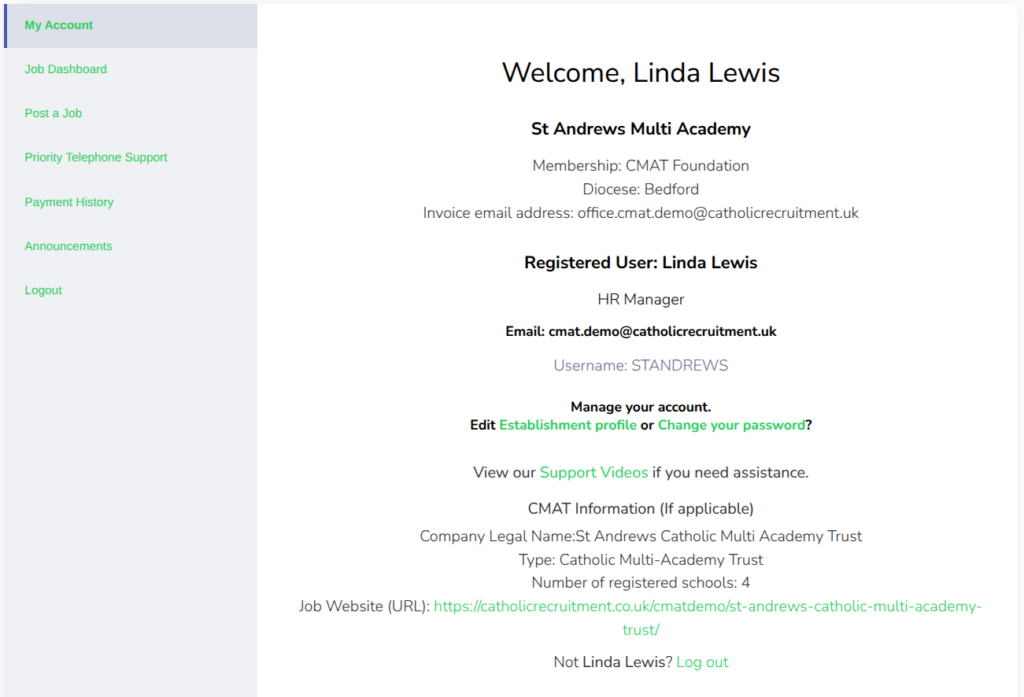
Each time you log in to Catholic Recruitment, you will arrive at the My Account page above.
As you can see, we have split your My Account page into two halves. The Grey area has all the links for adding and managing your job listings. We have also added two new links, which are explained in more detail below.
The White area displays your account information and the option to manage and edit your profile. You can also view our online support tutorials.
So let’s look at the productive links
And the final option is to Logout of your account.
From the White area of your My Account page, you are able to view the relevant information regarding your account with us. If you need to edit any of your information, click on the Establishment profile link to edit your information. From here, you can also view our support tutorials.